Introduction
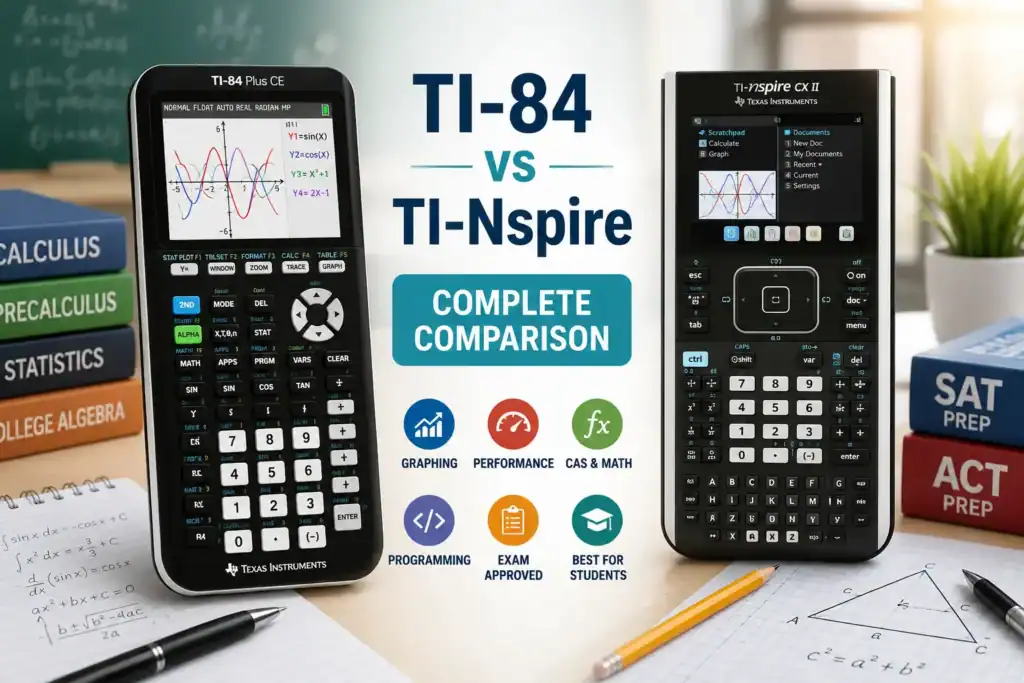
If you’re shopping for a graphing calculator, two of the most popular options from Texas Instruments are the TI-84 Plus series and the TI-Nspire series. Both calculators are widely used in high school and college math courses, standardized tests, and STEM programs.
However, choosing between them can be difficult. While the TI-84 is known for its simplicity and widespread adoption, the TI-Nspire offers more advanced features, a modern interface, and significantly greater computational power.
This guide compares the TI-84 and TI-Nspire in detail, including usability, performance, graphing capabilities, exam suitability, programming, and overall value.
By the end, you’ll know which calculator is the better choice for your specific needs.
Quick Comparison Overview
| Feature | TI-84 Plus CE | TI-Nspire CX II |
|---|---|---|
| Learning Curve | Easy | Moderate |
| User Interface | Traditional | Modern |
| Screen | Color | Color |
| Processing Speed | Good | Faster |
| Graphing | Excellent | Advanced |
| CAS Available | No | Optional (CAS model) |
| Programming | BASIC | BASIC + Python |
| File Management | Limited | Advanced |
| SAT/ACT Approved | Yes | Yes |
| AP Exam Approved | Yes | Yes |
| Best For | Beginners | Advanced Students |
What Is the TI-84?
The TI-84 Plus series has been one of the most widely used graphing calculators in schools for decades.
Popular models include:
- TI-84 Plus
- TI-84 Plus Silver Edition
- TI-84 Plus CE
The TI-84 became the standard calculator in many classrooms because of its straightforward menu system and compatibility with nearly every high school math course.
Advantages of the TI-84
- Easy to learn
- Large user community
- Countless tutorials available online
- Approved for major standardized tests
- Reliable and durable
What Is the TI-Nspire?
The TI-Nspire series was designed as a more advanced successor to older graphing calculators.
Popular models include:
- TI-Nspire CX
- TI-Nspire CX II
- TI-Nspire CX II CAS
The Nspire introduces a computer-like interface with documents, multiple representations, and advanced graphing tools.
Advantages of the TI-Nspire
- Faster processor
- Better graphing engine
- Dynamic geometry tools
- Advanced data analysis
- Python programming support
- Spreadsheet functionality
Design and User Interface
TI-84 Interface
The TI-84 uses a menu-driven interface that has remained largely unchanged for years.
Benefits include:
- Familiar layout
- Simple navigation
- Easy for beginners
Most functions are accessible through dedicated buttons.
Best For
Students who prefer straightforward navigation without learning a new system.
TI-Nspire Interface
The TI-Nspire functions more like a small computer.
Features include:
- Documents
- Pages
- Tabs
- Menus
- Workspaces
While more powerful, it requires additional learning.
Best For
Students comfortable with technology who want advanced functionality.
Learning Curve
TI-84 Learning Curve
Most students can learn basic TI-84 operations within a few hours.
Tasks such as:
- Graphing
- Tables
- Statistics
- Equation solving
are relatively straightforward.
Beginner Rating
⭐⭐⭐⭐⭐ Easy
TI-Nspire Learning Curve
The TI-Nspire offers many more features but requires more time to master.
New users must learn:
- Document structure
- Scratchpads
- Graph pages
- Calculator pages
- Data collection tools
Beginner Rating
⭐⭐⭐ Moderate
Graphing Capabilities
TI-84 Graphing
The TI-84 can graph:
- Linear functions
- Quadratics
- Polynomials
- Trigonometric functions
- Parametric equations
It handles most high school math needs extremely well.
TI-Nspire Graphing
The TI-Nspire graphing engine is significantly more advanced.
Features include:
- Dynamic graph manipulation
- Better zoom controls
- Multiple graph representations
- Interactive geometry
Processing Speed
TI-84 Performance
The TI-84 Plus CE is fast enough for:
- Algebra
- Geometry
- Statistics
- Calculus
However, large calculations can take longer.
TI-Nspire Performance
The TI-Nspire CX II includes a faster processor.
Benefits:
- Faster graph rendering
- Faster equation solving
- Faster matrix operations
- Improved performance with large datasets
Winner
TI-Nspire
Computer Algebra System (CAS)
TI-84
The TI-84 does not include CAS.
It cannot:
- Symbolically solve equations
- Simplify algebraic expressions automatically
- Perform advanced symbolic manipulation
TI-Nspire CAS Models
The TI-Nspire CX II CAS can:
- Factor expressions
- Solve symbolically
- Expand equations
- Perform advanced calculus operations
Example:
Input: x² − 9
Output: (x−3)(x+3)
Programming Support
TI-84 Programming
Supports:
- TI-BASIC
- Assembly programs (some models)
Good for:
- Learning programming fundamentals
- Educational projects
TI-Nspire Programming
Supports:
- TI-BASIC
- Python
Python support makes the Nspire particularly attractive for STEM students.
Standardized Test Compatibility
SAT
Both calculators are allowed.
Entity References
The calculators commonly used on the SAT include the TI-84 Plus CE and the TI-Nspire CX II.
ACT
Both calculators are permitted under current ACT calculator policies.
AP Exams
Most AP exams allow both calculators, subject to current exam-specific policies.
Always verify the latest testing rules before exam day.
Battery Life
TI-84 Plus CE
- Rechargeable battery
- Excellent battery life
- Can often last weeks between charges
TI-Nspire CX II
- Rechargeable battery
- Strong battery performance
- Slightly more power consumption due to advanced features
Winner
Tie
Which Calculator Is Better for Different Students?
Choose TI-84 If:
You are:
- A beginner
- Taking Algebra I or II
- Preparing for SAT or ACT
- Looking for easy-to-follow tutorials
- Prefer a simple interface
Ideal User
Most high school students.
Choose TI-Nspire If:
You are:
- Taking advanced math courses
- Studying engineering
- Learning programming
- Working with large datasets
- Interested in CAS functionality
Ideal User
Advanced STEM students.
Common Mistakes When Choosing
Buying Based Only on Features
More features do not automatically mean a better calculator.
Many students never use the advanced tools offered by the Nspire.
Ignoring the Learning Curve
A powerful calculator is not helpful if you do not know how to use it efficiently.
Not Checking Exam Policies
Always confirm calculator policies before major exams.
Frequently Asked Questions
Is the TI-Nspire better than the TI-84?
Technically yes. The TI-Nspire is more powerful and offers additional features. However, many students find the TI-84 easier to learn and use.
Is the TI-84 enough for high school math?
Yes. The TI-84 can handle nearly all high school mathematics courses and standardized exams.
Which calculator is better for SAT preparation?
Most SAT students prefer the TI-84 because of its simplicity and widespread availability of tutorials.
Is the TI-Nspire harder to learn?
Yes. Its document-based system requires more practice compared to the TI-84.
Should I upgrade from a TI-84 to a TI-Nspire?
Consider upgrading if you frequently use advanced graphing, programming, statistics, or symbolic mathematics.
Conclusion
Both the TI-84 Plus CE and TI-Nspire CX II are excellent graphing calculators, but they serve different types of students.
The TI-84 remains the best choice for most beginners because it is easy to learn, widely supported, and more than capable of handling SAT, ACT, AP, and high school math coursework.
The TI-Nspire CX II is the better option for advanced students who need faster performance, stronger graphing tools, Python programming, and optional CAS functionality.
For most students, the decision comes down to one simple question:
Do you want simplicity or maximum power?
- Choose the TI-84 for simplicity.
- Choose the TI-Nspire for advanced capabilities and long-term STEM use.

Dr. Vivienne Blackwell is a mathematics and educational technology specialist focused on TI-84 calculator online tools, graphing calculator simulations, algebra, calculus, and statistics problem-solving systems. She creates structured and optimised guides that explain how to use TI-84 emulators and online calculator platforms for accurate equation solving, function graphing, and exam-focused mathematical analysis.